Know if a video is
worth your time
before you watch it.
One button on YouTube checks the title against the content, summarizes the video, and lets you jump straight to the part that matters.
no account · no data collected · works in-browser
The problem isn't finding videos
Every day you watch YouTube to learn something — programming, AI, home improvement, finance. The problem is figuring out whether a 45-minute video is actually worth watching.
Too often the answer could've been explained in 3 minutes, the title oversells the content, or half the video is filler.
Three tools, one button
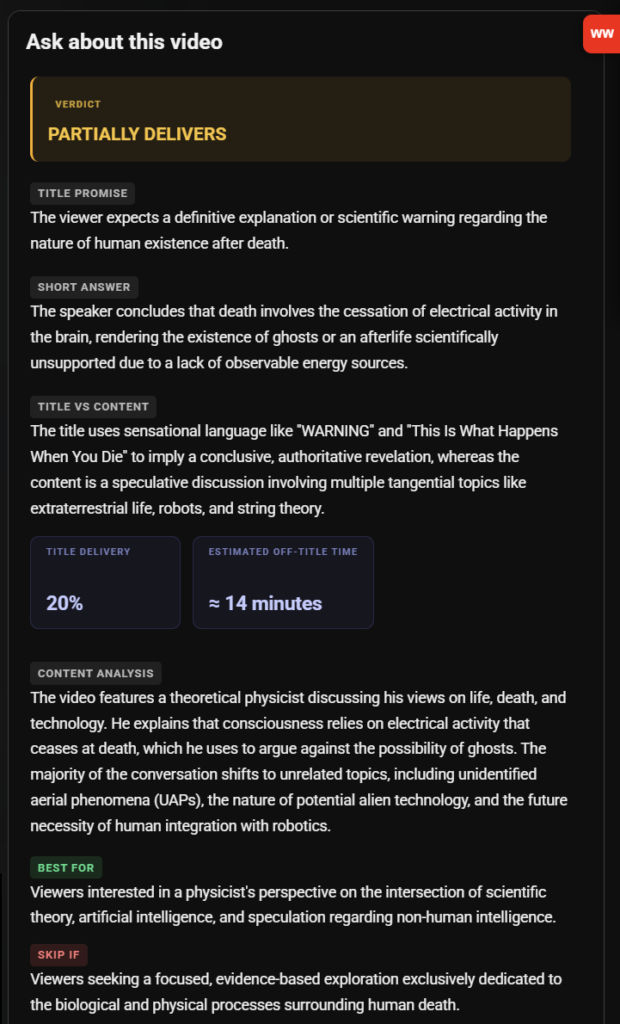
Title vs content
See if the video actually delivers on its title — how much stays on topic, how much is filler, before you press play.
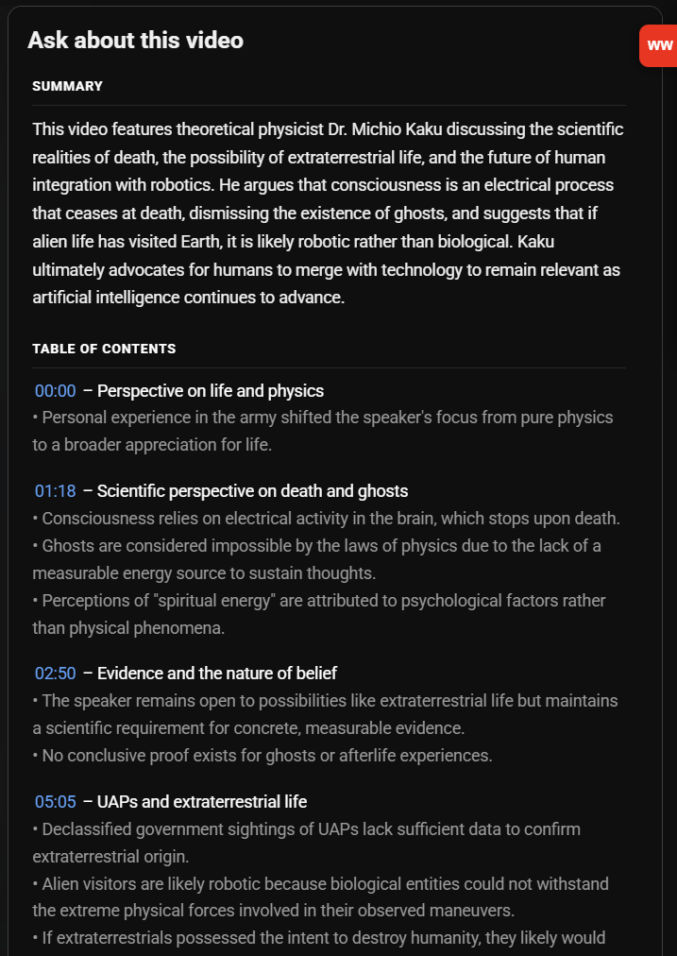
Summary + table of contents
A concise summary, key takeaways per section, and clickable timestamps so you can jump right to what matters.
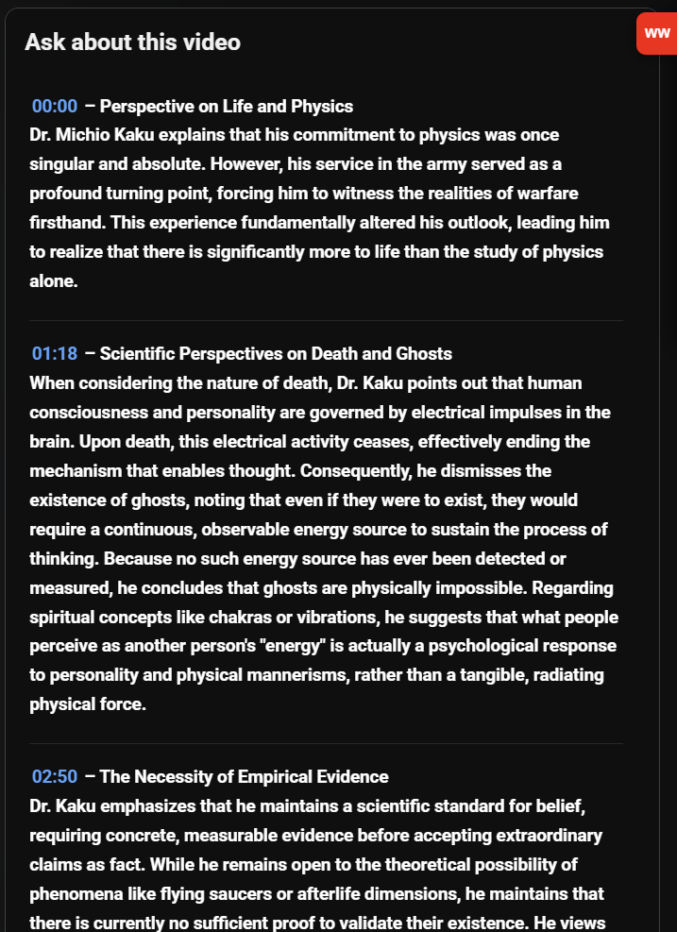
Smart chapters
Long interviews and podcasts get broken into readable sections you can browse instead of scrubbing through.
How it works
Install the extension
One click, free, from the Chrome Web Store.
Open any video
A small red WW button appears in the top-right corner.
Click it
Get the title-check, summary, and chapters instantly.
WatchWise simply makes YouTube's existing "Ask about this video" AI easier to use — one click instead of writing a prompt every time.
Your data stays yours
Everything happens inside your browser using YouTube's own Ask AI feature. Nothing is sent anywhere else.